Designed for reading
Reading fonts, five paper colors and a focus mode that leaves only the text.
READ · THINK · KEEP
A Markdown tool built for reading. Open it in your browser, mark it up, and your .md stays exactly as it was.
No sign-up · Free for now · Work is cached in this browser, so remember to export a backup
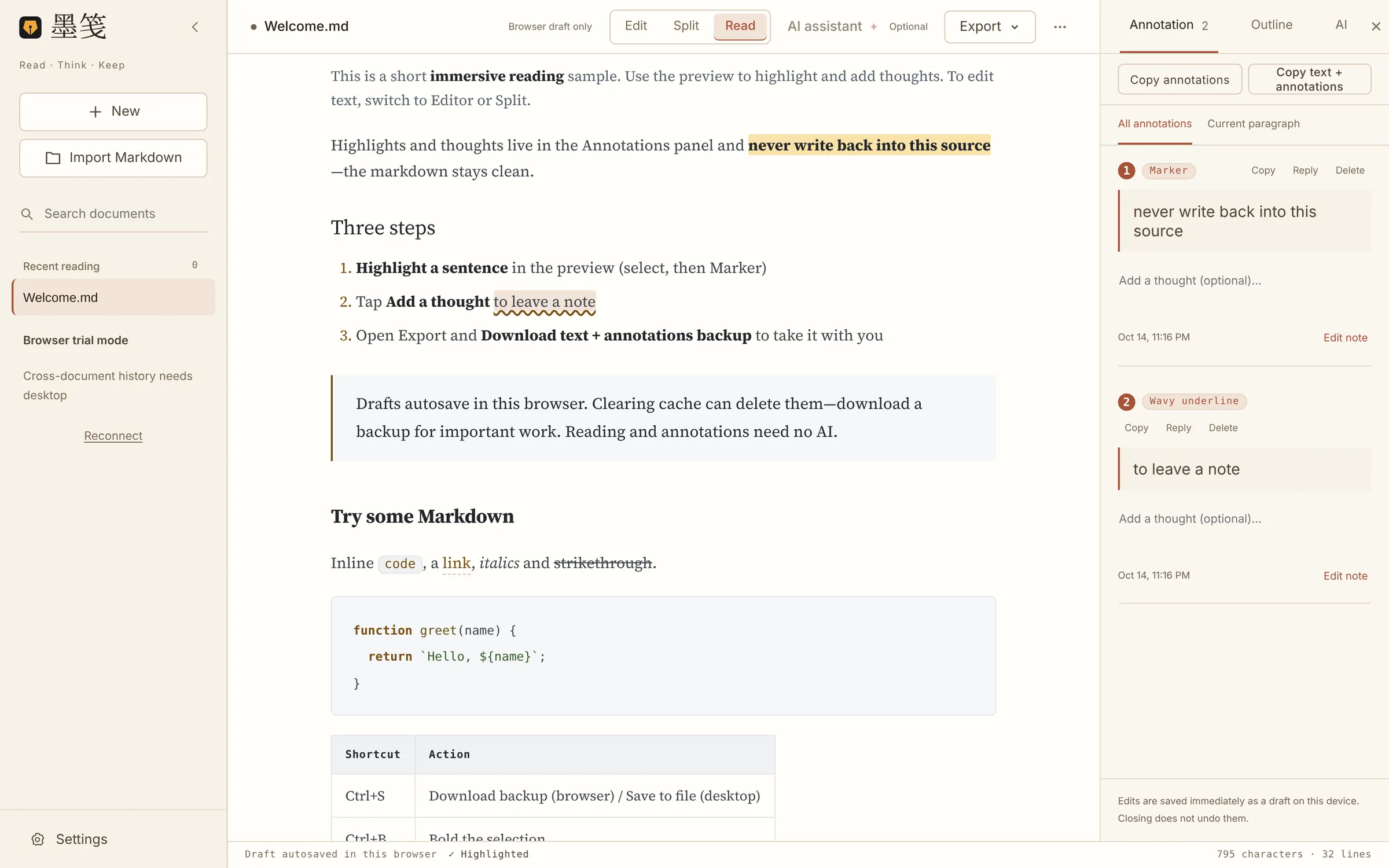
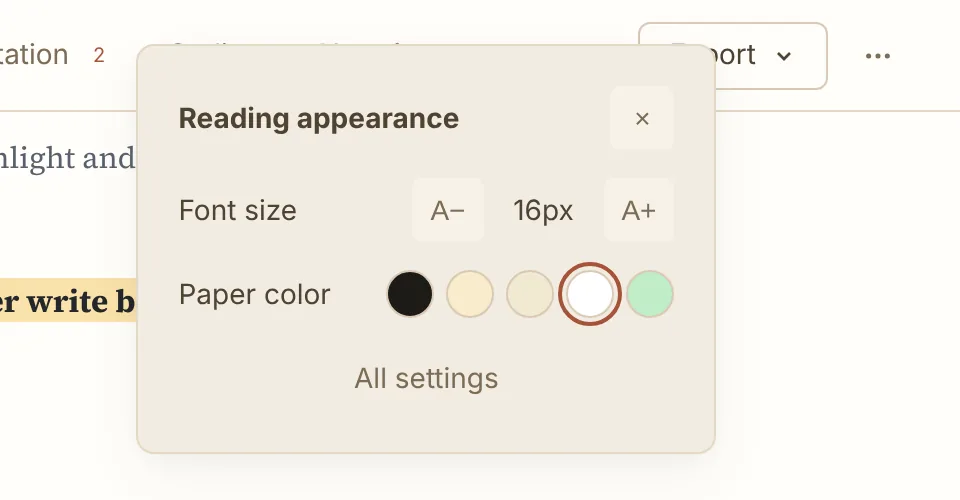
Reading fonts, five paper colors and a focus mode that leaves only the text.
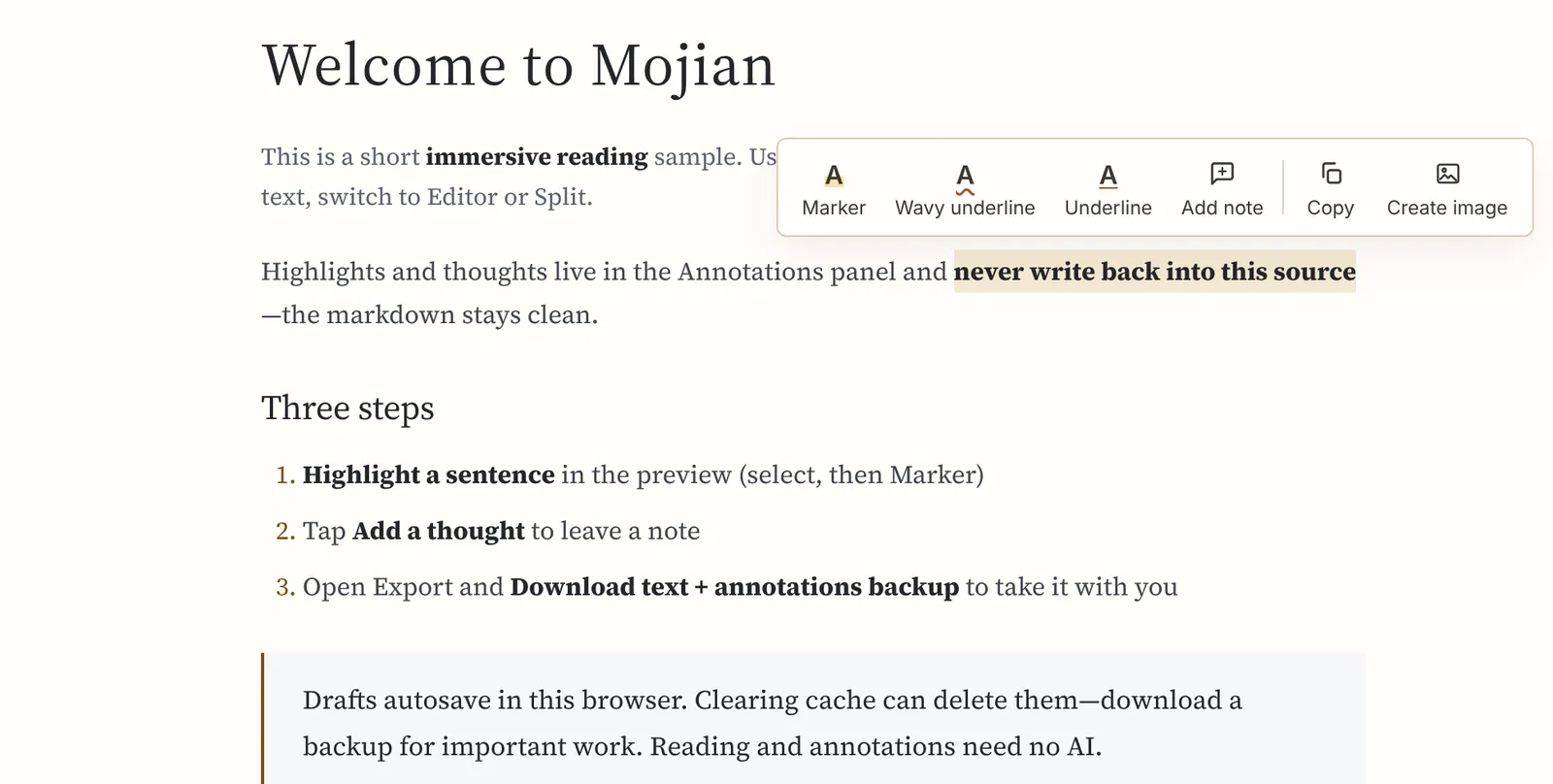
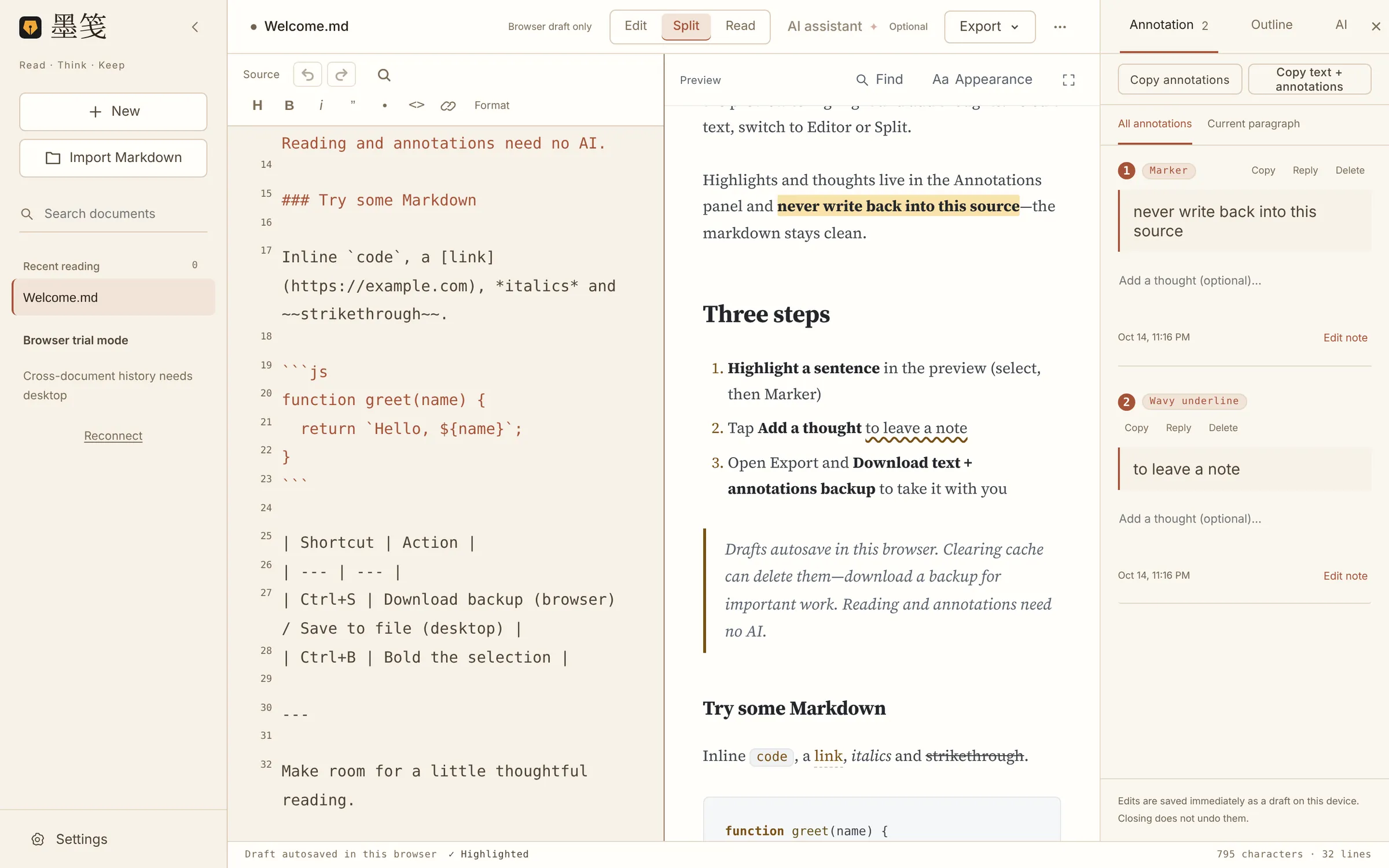
Marker, wavy underline, underline and notes all live in the Annotations panel.
Long image, annotations, or a full text + annotations backup.
Designed for reading
Paper colors, typefaces and font sizes tuned for long reading. When you read, the toolbars can step away entirely.
Notes beside the text
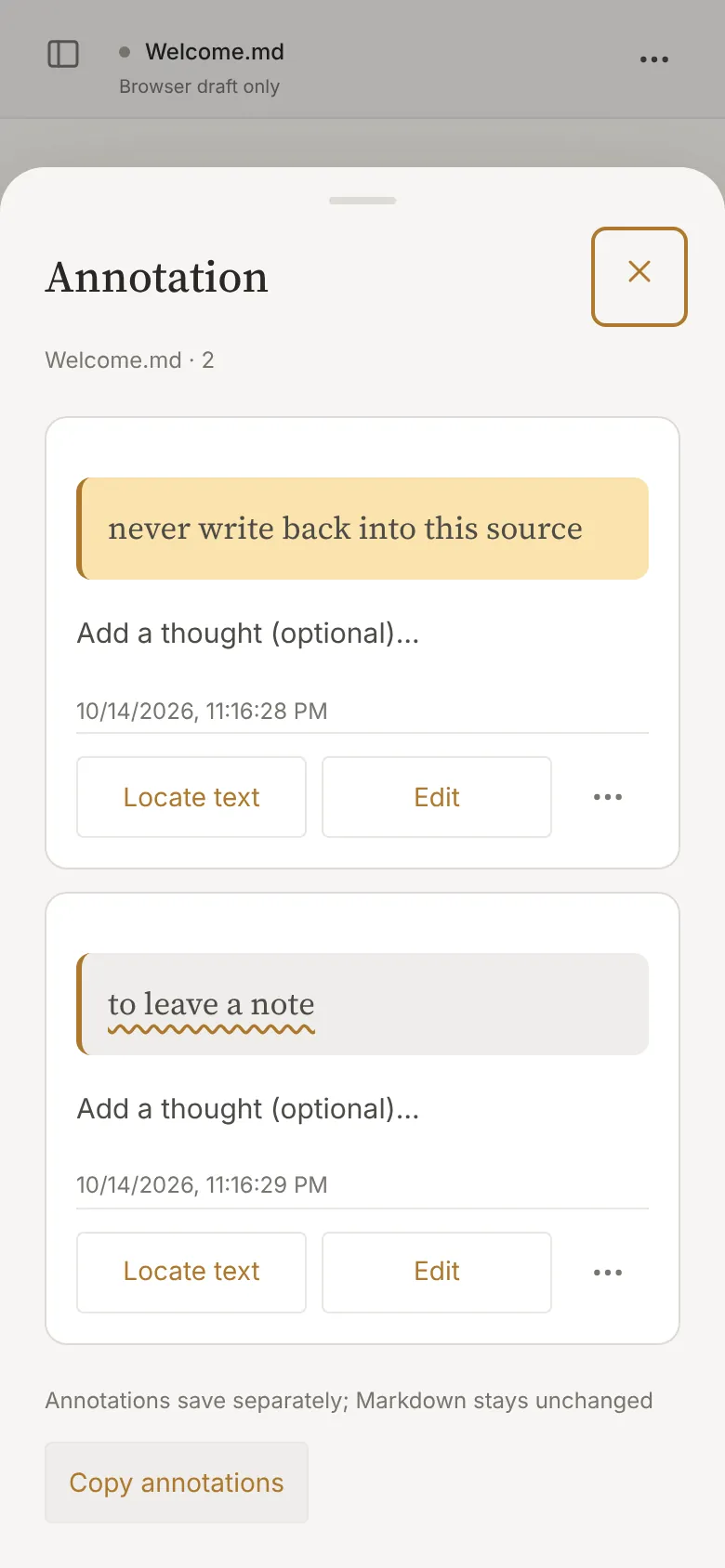
Highlights and notes are saved separately. Read and annotate the same .md as often as you like; the file itself never changes.
Welcome.mdSource · unchangedWelcome.annotations.mdAnnotations · exported separatelyWelcome.annotations.jsonAnnotations · structured dataThe Annotations panel collects every note; click one to jump back to it.
Source and reading, side by side
Switch to Split and every edit updates the preview at once. Double-click either side and the other follows. The outline shows the shape of long documents at a glance.
Take your reading with you
It is all under Export in the top bar. Browser caches can be cleared, so save anything that matters.
.pngSave the preview as a long image, with or without annotations.
.annotations.md · .jsonExport as Markdown or JSON for your own notes system.
.zipArchive both in one file; import or export .md anytime.
Open it anywhere
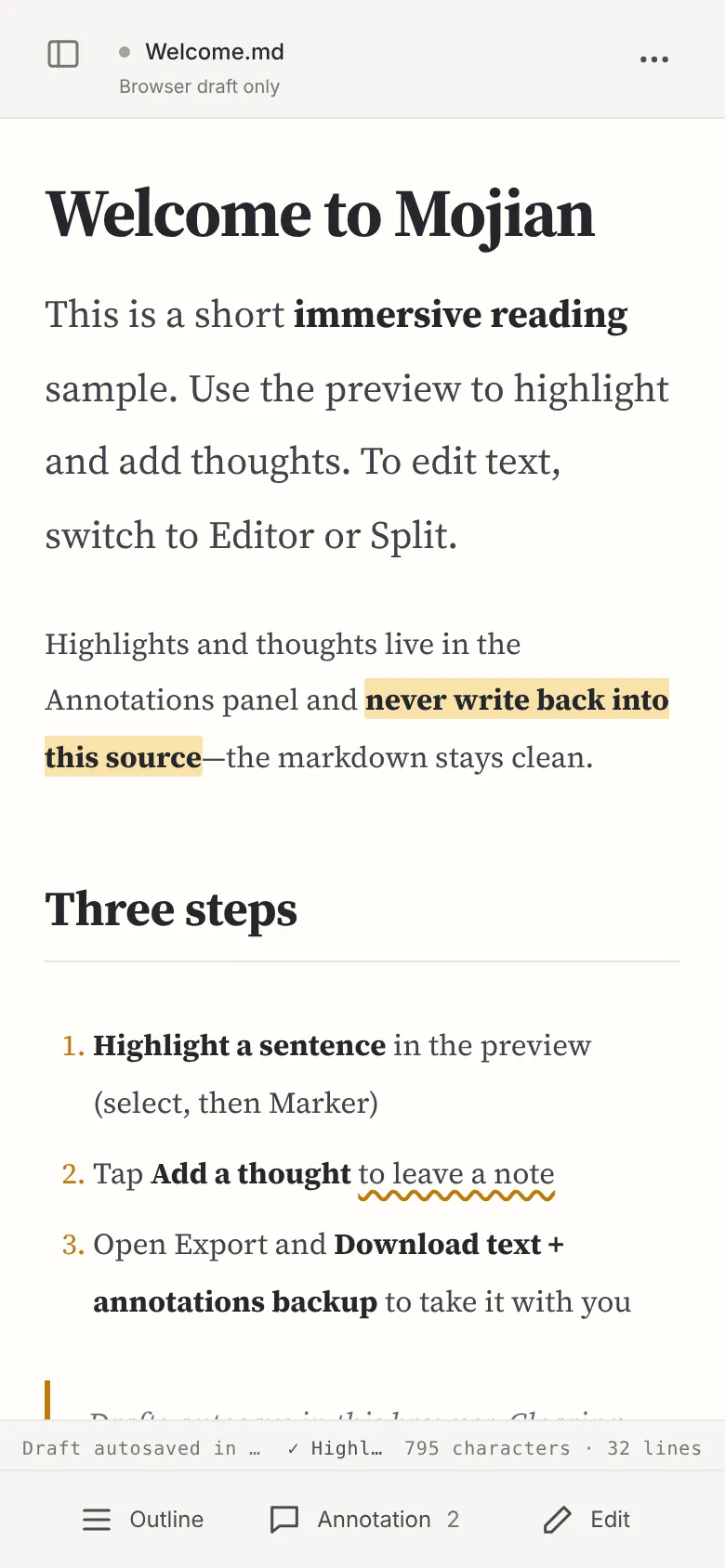
Highlight and add notes in a mobile browser too. The bottom bar keeps just three entries: Outline, Annotations, Edit.
macOS and Windows installers are for testing only — not a formally signed release, and not ready for public distribution. Unsigned builds may be blocked by Gatekeeper on macOS or show a SmartScreen “unknown publisher” warning on Windows; that is expected. CI smoke tests do not establish physical-device install acceptance.
Engineering prepared the signing and notarization pipeline skeleton. Apple Developer ID, notarization credentials, and Windows certificates remain on the account holder’s side. Do not treat download links as a formal release until certificates are in place and verified on real machines.
Run the desktop app from source:
npm install
npm run desktop
Read about desktop test builds ↗ · Signing checklist (waiting on certificates) ↗
Questions
Didn’t find your answer? Open an issue on GitHub, or just open the editor and try a document.
Ask a question ↗Yes, for now, and no sign-up is needed. Reading, annotating and exporting cost nothing. The license limits commercial use; see “Can I use it commercially?” below.
No. Marker, wavy underline, underline and notes live only in the Annotations panel and separate annotation data; they are never written back. The .md you export matches the one you imported, and annotations export separately as .annotations.md or .annotations.json.
In the web version, documents and annotations are kept in your current browser’s local cache and never uploaded. They don’t follow you when you clear site data or switch browsers or devices, so download a text + annotations backup from Export.
Not yet. Annotations can be exported, but importing them and merging across devices are not built. For now, finish a document on the same device and browser.
A mobile browser opens straight into reading; select text to highlight it or add a note. The bottom bar has Outline, Annotations and Edit — tap Edit to change the text, then switch back.
Obsidian excels at linked knowledge bases and plugins; Typora excels at fluid writing. Mojian focuses on reading one Markdown document through and keeping your notes apart from the source. They work well side by side.
There is an optional AI assistant. It needs Claude Code or Codex CLI installed and signed in locally, or a Gemini API key; provider charges may apply, and Mojian does not provide a model. Reading and annotating need no AI.
The desktop app is still a test build and its installers are not yet code-signed, so macOS or Windows may show a security warning. If you’d rather avoid that, use the web version.
The source is available under the PolyForm Noncommercial 1.0.0 license, which allows noncommercial use. It is not open source as defined by the OSI. Commercial use needs a separate license; LICENSING.md in the repository is authoritative.
Neither. Mojian doesn’t manage a vault, link notes or support multiple editors. It is a reading tool: open a document, read it through, annotate it, take it with you.
Import it and mark a few lines. Export your notes when you’re done — the original stays as it was.
界面语言不会改变文档内容
返回首页阅读、编辑与批注无需配置 AI。
AI 与文档历史需要桌面版或本地 Agent Bridge。
在文档顶部的「导出」中上传到飞书或钉钉,使用本机已登录的连接器。